Fredy Mendoza Independently developed by Fredy Mendoza

Speak in your language.
Understand every live conversation.

Polyglot Live is a native Windows desktop application that translates your voice and incoming audio bidirectionally in real time during video calls, meetings, and streams, while keeping a synchronized live text transcript right in front of you. Speak naturally, hear translations clearly, and never lose track of a word.

Explore Pricing From $5.99 USD / hr on demand
Fast, secure sign-in with:
Google Microsoft Personal Live Text Transcripts
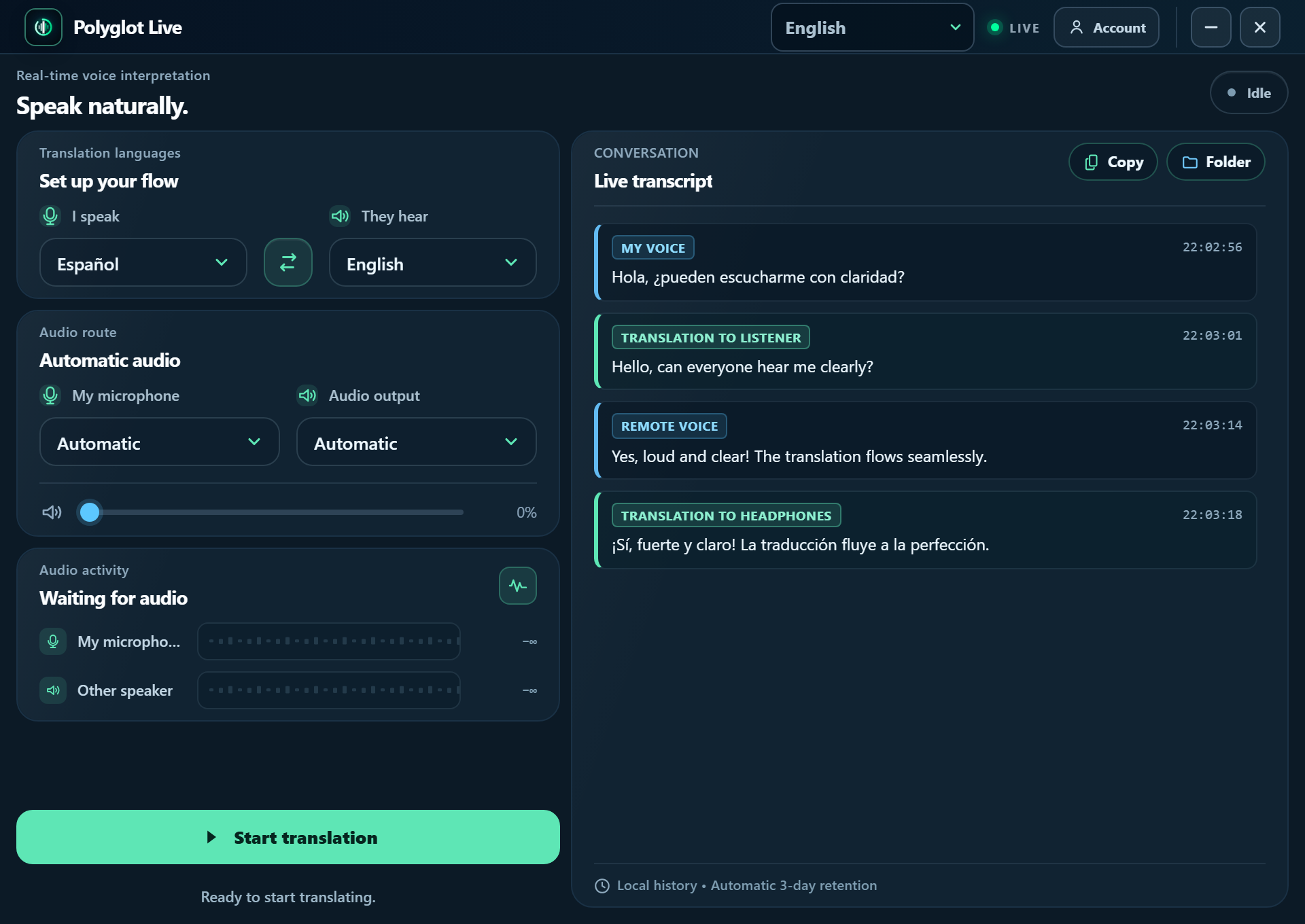
Polyglot Live • Desktop Interface
Low Latency <200ms
Polyglot Live desktop application interface with two-column layout showing real-time voice translation controls and live bilingual text transcript feed.
Core Capabilities

Two directions. One seamless conversation.

Instead of delayed subtitles or cumbersome typing, Polyglot Live works directly with your computer's audio to translate spoken voice naturally, while keeping an instant, synchronized live text transcript right on your screen.

1. Your voice translated live

Speak naturally into your regular microphone. Polyglot Live translates and synthesizes your speech in the chosen destination language for other participants in real time.

2. Incoming speech translated to you

When the other participant answers in their native language, the incoming audio is translated on the fly and played directly through your headphones.

3. Works with any meeting platform

Compatible with Zoom, Microsoft Teams, Google Meet, Discord, Skype, or browser-based calls. No special browser extensions or third-party add-ons needed.

4. Live text translation & transcripts

Follow every conversation in writing. An integrated side panel displays color-coded dialogue bubbles for both speakers in real time. Copy the full conversation to your clipboard with one click or view local records retained securely for 3 days.

Built for Real Life

Where Polyglot Live empowers you

Engineered for critical moments where clarity, speed, and genuine understanding are essential.

Business & Sales 💼

Global Client & Partner Meetings

Pitch proposals, negotiate contracts, and align cross-border engineering teams on Zoom or Teams without hiring human interpreters or risking misunderstandings.

  • Direct communication with stakeholders
  • Active participation in live discussions
  • Precise technical requirements alignment
  • Instant text transcripts for meeting notes & agreements
Support & Care 🎧

International Customer Support

Deliver quick, empathetic voice assistance to global customers, resolving issues on live calls without long back-and-forth email delays.

  • Immediate issue resolution
  • Clear and natural voice cadence
  • Shorter average call handle times
  • One-click copy of conversation logs for CRM records
Career Growth 🚀

Remote Job Interviews

Never let language anxiety hold you back from applying to well-paying international remote positions. Speak with poise and grasp technical nuances clearly.

  • Fluent conversational pace
  • Accurate understanding of questions
  • Demonstrate your true technical expertise
  • Follow complex questions with real-time written captions
Community & Gaming 🎮

Discord & Live Voice Chats

Play alongside international teammates and connect in voice channels around the globe with low latency and dedicated audio controls.

  • Responsive voice timing
  • Per-app Windows volume balance
  • Effortless connection with diverse communities
Verified Pricing

Transparent plans for your workflow

Pay only for what you speak with flexible, on-demand hours — zero subscription commitment, no recurring charges. Or choose a monthly plan for ongoing scheduled meetings.

In-App Purchase Only: All subscriptions and flexible hours are purchased and activated directly inside the Polyglot Live desktop application after signing in with your Google or Microsoft account. This pricing table is purely for your reference.

Starter One-Time

5-hour fixed package for temporary assignments, short trips, or urgent projects.

$ 26.99 USD / one-time
  • 5 full hours of live voice translation
  • Valid for 30 days from purchase
  • No auto-renewal or surprise charges
  • Can be repurchased whenever needed

Pro One-Time

10-hour fixed package for intensive work periods, conferences, and event weeks.

$ 49.99 USD / one-time
  • 10 full hours of live voice translation
  • Valid for 30 days from purchase
  • Zero recurring obligation
  • Priority customer support included

All plans are activated inside the application. Download Polyglot Live, sign in with your Google or Microsoft account, and select your hours directly from the app.

Zero Friction

Sign in with accounts you already trust

We do not collect or store master account passwords. You authenticate securely through your existing Google account or personal Microsoft account (Outlook, Hotmail).

No tedious account registration: Confirm access in your default web browser and return to the app ready to speak.
Secure OAuth 2.0 with PKCE: Follows modern identity standards so your credentials are encrypted directly by Google or Microsoft.
Time linked to your identity: If you switch Windows computers, simply sign in with the same provider and your remaining balance is preserved.

Google Account

Log in with your Gmail or Google Workspace credentials seamlessly.

Personal Microsoft Account

Log in with your Outlook, Hotmail, or Live account in one step.

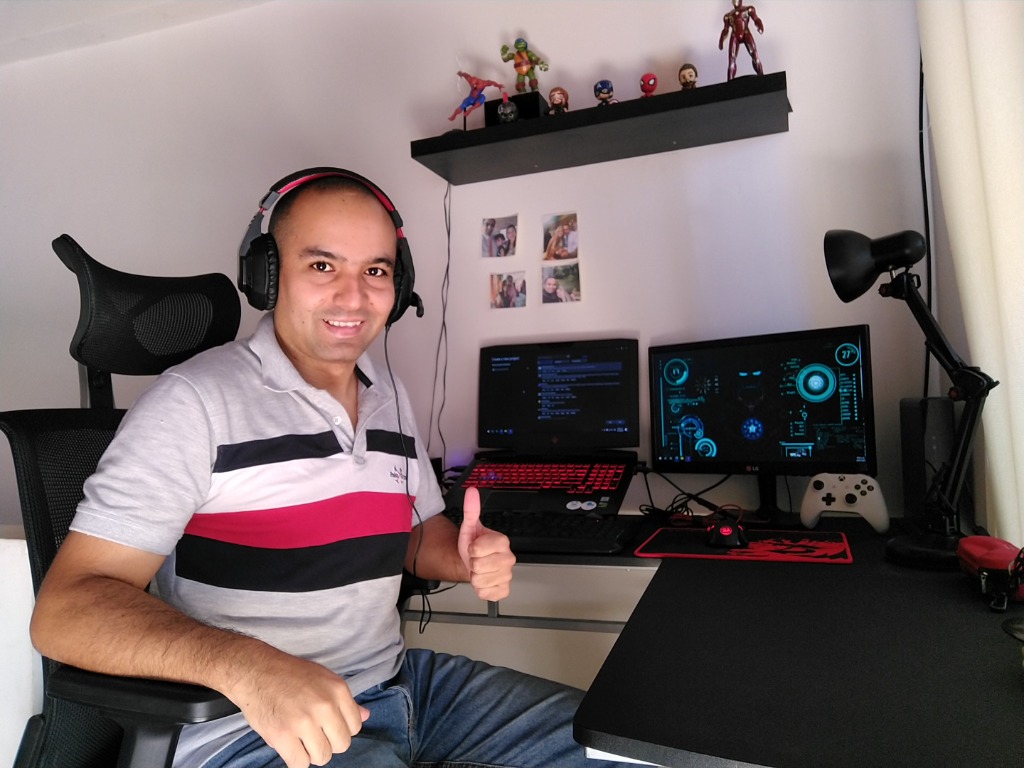
Fredy Mendoza - Software Developer and creator of Polyglot Live
Active Developer
Accountability & Transparency

Behind Polyglot Live: Built by Fredy Mendoza

Hi, I am Fredy Mendoza. I created Polyglot Live with a straightforward mission: language differences should never prevent talented people from collaborating, closing deals, or understanding each other in live conversations.

Polyglot Live is not built by a faceless mega-corporation. It is an independent software application designed to solve an immediate, practical challenge: translating two-way spoken voice smoothly with native Windows audio integration, ultra-low latency, and respect for user privacy.

My commitment is simple: truthful pricing, robust software that gets out of your way, and direct communication. You can learn more about my background, career, and engineering principles directly on my LinkedIn profile.

Frequently Asked Questions

Everything you need to know

Does Polyglot Live provide live text translation or meeting transcripts?

Yes! Along with spoken voice synthesis, Polyglot Live features an integrated Live Transcript panel right alongside your audio controls. As conversation takes place, speech is transcribed and translated side-by-side in real-time dialogue bubbles. You can copy the full text to your clipboard with one click, or access local meeting transcript files saved on your machine with automatic 3-day privacy retention.

Can I purchase a plan on this website?

No, this website is purely informative. All plan purchases, subscriptions, and on-demand time packs are handled directly inside the Polyglot Live Windows desktop application once you sign in with your Google or personal Microsoft account.

What does Polyglot Live do?

Polyglot Live is a Windows desktop application that translates spoken voice bidirectionally in real time. It translates what you say into your interlocutor's language, and translates what they reply back into your native language during live calls on Zoom, Teams, Meet, or Discord.

Does it work with Zoom, Microsoft Teams, Google Meet, and Discord?

Yes. Polyglot Live coordinates directly with Windows audio endpoints. It captures your microphone and delivers translated audio through your normal speaker or headphone output without requiring browser extensions or extra plugins.

How long is my purchased balance valid?

Purchased packages—both monthly subscriptions and one-time flexible passes—are valid for a 30-day billing cycle. There is no daily cap, meaning you can consume your hours at any time within your active 30-day period.

How does sign-in work?

Simply click the provider button (Google or personal Microsoft accounts such as Outlook or Hotmail). Your default browser handles authentication directly with the provider, and you return to Polyglot Live ready to translate.

Who develops and supports this software?

Polyglot Live is part of the Polyglot Suite software ecosystem (polyglotsuite.com), independently created and maintained by software developer Fredy Mendoza. There are no corporate intermediaries: you receive focused software, direct communication, and transparent pricing.

What are the system requirements?

Windows 10 (version 1703 or later) or Windows 11, a reliable internet connection for live translation processing, a functioning microphone, and headphones or speakers.

Get Started Today

Communicate without boundaries on your next call

Download Polyglot Live for Windows, sign in securely with Google or Microsoft, and experience what it feels like to speak your language with the world.

View All Plans
✓ Ad-free experience ✓ Native Windows 10 & 11 ✓ Created with care by Polyglot Suite (Fredy Mendoza)

Polyglot Live for Windows

Official installation binaries for Windows 10 and 11 are distributed through the public release downloads. Click below to download the latest setup.

Go to Windows Downloads